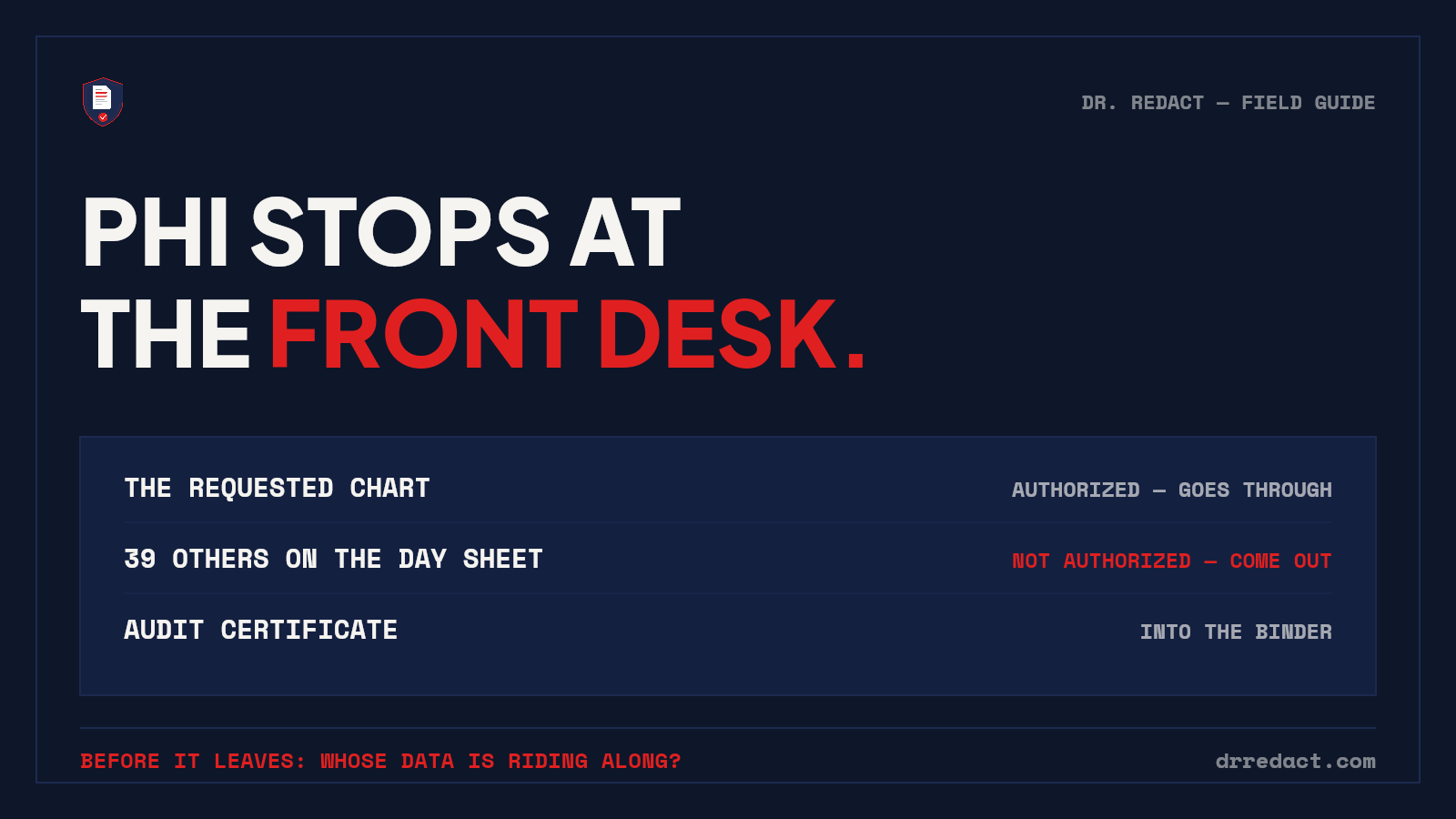
I spent 16 years at Patterson Dental consulting practices on practice management software, technology and HIPAA/OSHA training, and here's what I learned about records releases: they don't happen in a compliance department. They happen at the front desk, between check-ins, when an attorney's letter or an insurance audit lands on the office manager's counter. The person doing the release is doing four other jobs, the deadline is real, and the tools are a printer, sharpie, copier and good intentions.
This is the guide for that person. What actually needs to come out of dental documents before they leave the practice, where PHI hides that people miss, and how to run a release you'd be comfortable defending.
The trap most practices miss: it's not the patient's data that gets you
When an attorney requests "Sarah's" treatment records, sending Sarah's protected health information to Sarah's authorized representative is the point of the release. The HIPAA problem is everyone else in the paperwork:
- Day sheets and schedules. One day sheet contains forty patients. If Sarah's ledger entry rides along on a printed day sheet, thirty-nine other patients' names, procedures, and balances just went to a law office with zero authorization.
- Family and guarantor data. Charts carry the guarantor's employer, phone, insurance member ID — often a spouse or parent who is a different person with their own privacy rights.
- Ledgers and aging reports. Single-patient ledgers print cleanly — but the reports that answer real questions (aging, collections, adjustments) are practice-wide by design. The collection report with Sarah on it has everyone else in arrears too.
- EOBs. Explanation-of-benefits forms frequently batch multiple patients per page. An EOB pulled for one claim is a disclosure about every other patient on that page.
The "minimum necessary" standard has a plain-English version: the requester gets their patient, and nobody else's. Nearly every release incident involves the ride-alongs, not the requested record.
The releases that actually happen, and what each one needs
Attorney and insurance requests. Scope to the named patient. Third-party names, other patients on shared pages, guarantor employment details — out. Clinical content for the named patient — intact.
Specialist referrals. Usually fine to send full records for the referred patient — but check what's stapled: sign-in sheet copies, day-sheet fragments, and family-member correspondence have a way of living in paper charts.
Collections. The agency needs the balance, the dates, and the responsible party. It does not need diagnosis codes or clinical notes — sending treatment detail to a collector is a classic minimum-necessary violation.
Practice transitions and DSO diligence. I was later involved in brokered practice transitions, and this is where I watched the biggest exposures happen: production reports, schedules, and ledgers handed to buyers with patient names and chart numbers intact. A buyer evaluating your practice needs production, collections, payer mix, new-patient counts, and scheduling density. They need zero patient identities. A diligence package with the economics visible and every identity permanently removed isn't just compliant — it's a better sales document, because it shows the buyer how the practice treats its obligations.
OSHA and staff records. The team has privacy too: exposure incident reports and personnel files carry staff SSNs and health information that an inspector's question doesn't require.
Why the sharpie and the copier aren't enough
Two failure modes I noticed and still see everywhere:
1. The black box that isn't. Drawing a rectangle over text in a PDF hides it visually and leaves it in the file — select-all, copy, paste, and the "redacted" chart number reads right out. Real redaction removes the data; covering it is decoration.
2. The re-copy that stays readable. Marker over paper, then a photocopy — held to the light, half of it survives. And the output is an image nobody can search, which matters when the requester's paralegal needs to work the record.
The test that settles any tool, including ours: open the redacted file, Ctrl+A, Ctrl+C, paste into Notepad, search for the chart number. Thirty seconds, no trust required.
How this works in Dr. Redact
I built Dr. Redact to be the tool I wish my practices had. The front-office version of the workflow:
- Upload the release set — or photograph paper charts and day sheets with your phone, right on the website. No scanner, no app; handwriting and crooked pages are read with OCR.
- The engine flags PHI across 65+ categories — names, DOBs, chart and account numbers, member IDs, addresses, phone numbers, signatures — wherever they appear, including the other patients hiding on shared pages.
- You approve every single item. Nothing is removed without a human decision, because the engine can't know which patient is the authorized one — that judgment is yours, and the tool is built around it.
- Approved items are burned out at the pixel level. The unredacted original is destroyed at processing, the redacted copy stays fully searchable, and on plans from the Standard Pack up, every release produces an audit certificate — what was removed, when, on whose approval — that goes straight into the compliance binder. When an auditor asks how releases are handled, the answer is a stack of certificates, not a memory.
A Business Associate Agreement is available on every paid plan and executes electronically in minutes — no enterprise sales call — and PHI processing runs on infrastructure covered by BAAs end to end. That last sentence took us months of vendor agreements to earn, and we held our own launch back until it was true.
Quick answers
Will Dr. Redact sign a BAA with a dental practice? Yes — click-through, on every paid plan, before any PHI is processed. Built by someone who spent 16+ years explaining BAAs to front offices, so it works the way a practice actually runs.
Is redacting the same as HIPAA de-identification? Related but not identical. Safe Harbor de-identification means removing all 18 identifier categories so the record is no longer PHI at all — useful for transition packages and case studies. A records release is narrower: the named patient's PHI goes through; everyone else's comes out. The same review workflow handles both — the difference is which detections you approve.
What about radiographs and photos in the chart? Image content in a PDF can be boxed and burned like anything else — draw a box over the name banner on the pano, and it's removed at the pixel level, not covered. Full-face patient photos are flagged during the scan for your approval — that's Safe Harbor identifier #17.
Can the front desk really do this between check-ins? That's the design target. Upload or photograph, review the flagged items, approve, send, file the certificate. No IT department, no compliance consultant on retainer.
The habit that protects a practice fits on a sticky note: before anything leaves, ask whose data is riding along. Your first pages are free at drredact.com, no card required. One front-office rule, from the guy who taught the class: the free trial isn't covered by a BAA, so try it with a sample or de-identified document — and when you're ready for real charts, the BAA is a five-minute click on any paid plan.