If you're evaluating PII redaction software, something specific usually just happened: a client demanded proof that shared files are scrubbed, an auditor asked how personal data leaves your organization, or someone found a "redacted" document where the Social Security numbers were one copy-paste away from visible.
This guide is the evaluation checklist we'd use in your chair. Full disclosure up front: we make one of the tools in this category. The criteria below are the ones we'd apply to us too — and the fifteen-minute test at the end works on any vendor, ours included.
What PII redaction software actually has to do
PII — personally identifiable information — is any data that identifies a person: names, Social Security and government ID numbers, dates of birth, addresses, phone numbers, email addresses, financial account and card numbers, driver's license numbers, biometric identifiers, signatures, faces on ID photos. In regulated contexts you'll also meet its cousins: PHI (health information under HIPAA) and the GDPR's special categories.
Redaction software's job is to find that data in documents and remove it permanently — not hide it, mask it, or overlay it. That distinction is the entire product category, and it's where most failures live.
The seven criteria that matter
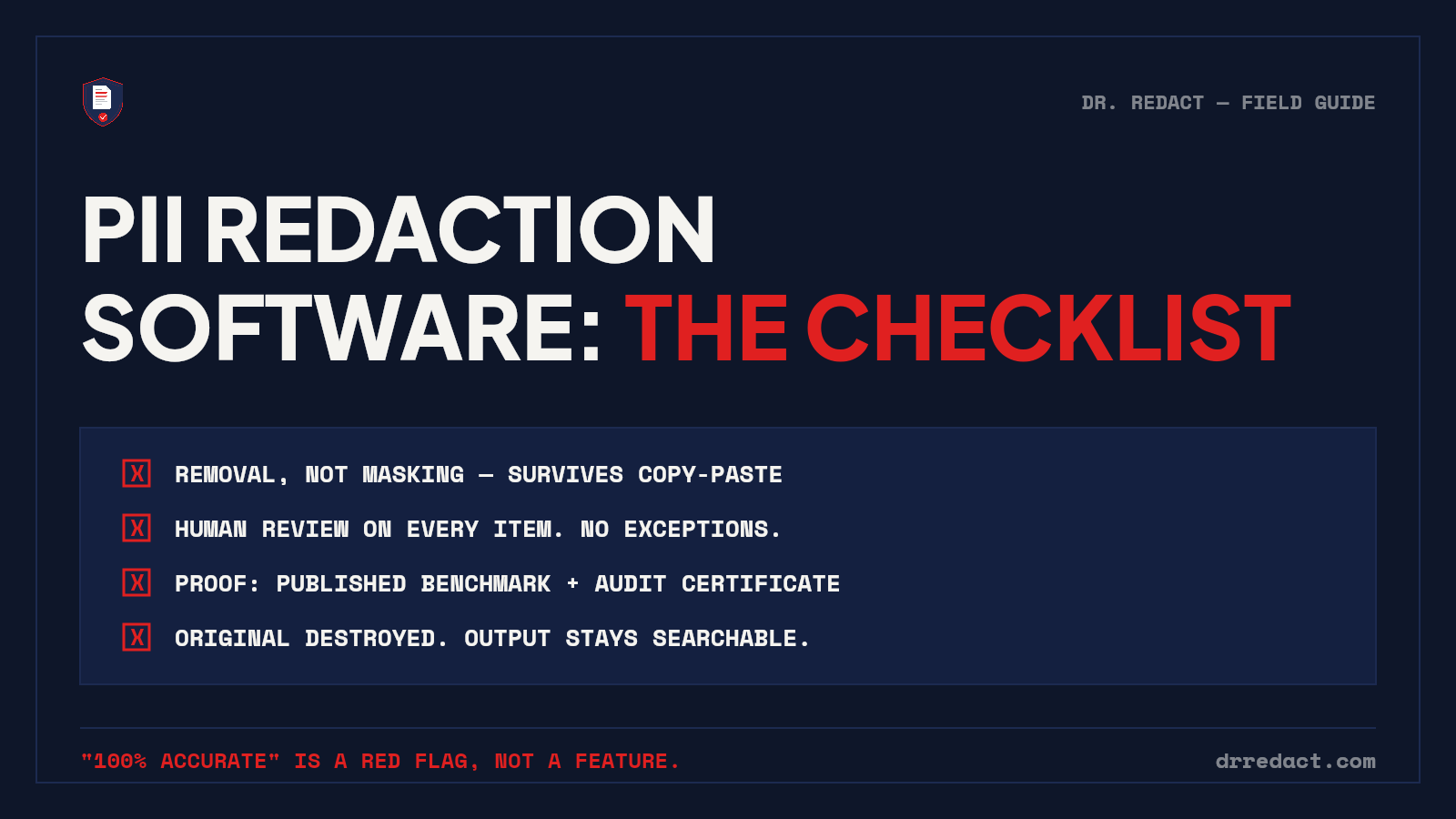
1. Removal, not masking. The output must contain nothing under the black bar: not in the text layer, not in metadata, not in embedded thumbnails. The test is trivial — select-all, copy, paste into a text editor, search. If a vendor's sample output fails this, the evaluation is over.
2. Detection breadth, with evidence. Every vendor says "AI-powered." Ask instead: how many categories, which international formats, and where's the data? Real documents carry 15-digit Amex numbers, IBANs printed in spaced groups, hyphenated internal reference numbers, partial SSNs identified only by a label. We publish a 645-item benchmark with our own scorecard — including the 71.5% first run — because "trust us" isn't evidence. Ask any vendor for the equivalent.
3. A mandatory human-review step. No detection engine catches everything, and no engine understands your context — which names must stay, which the matter requires removing. Software that burns redactions without a human approving each one isn't more advanced; it's a liability with better marketing. The workflow you want: engine proposes, reviewer disposes, nothing removed without sign-off.
4. Scans, handwriting, and photos. The documents that most need redaction are the ugly ones — decades-old photocopies, handwritten intake forms, phone photos of paper. That requires OCR built into the pipeline, handwriting detection, and tolerance for crooked, imperfect captures. A tool that only handles born-digital PDFs handles half the problem.
5. Output that still works. Some tools "remove" text by flattening pages to images. The data is gone — so is search, screen-reader accessibility, and any downstream review workflow. Proper pixel-level removal leaves a working, searchable document with the sensitive regions genuinely absent.
6. Evidence for the file. When someone later asks "was this properly redacted?", the answer needs to be a record, not a memory: an audit certificate per job listing what was removed and when, and a defensible story for the original — ideally that it was destroyed at processing, so no unredacted copy lingers on a server waiting to be breached.
7. The vendor's own data handling. You're uploading unredacted documents to this company. Encryption in transit and at rest, private storage, automatic retention limits, and — if health data is involved — a BAA. Read their retention policy with the same skepticism you'd want your clients applying to you.
Red flags that predict incidents
- "100% accurate." No detection system is, and a vendor claiming it is telling you they'll also lie about other things. Published benchmarks with misses included are the credible alternative.
- "Fully automatic — no review needed." See criterion 3. This is the incident, pre-purchased.
- No verification story. If the vendor can't explain how you confirm their output is clean, they're asking for faith in a category built on the corpses of misplaced faith.
- Masking-based approaches. Tools that "hide," "cover," or "protect" text rather than remove it. Different product, wrong shelf.
Pricing models, briefly
The category splits into per-seat enterprise licensing (fine at high steady volume, painful for occasional use) and usage-based pricing. For most small and mid-size teams, per-page pricing matches how redaction actually arrives — in bursts, around audits, productions, and transactions. Whatever the model, the evaluation is the same: run a real document through the trial before any contract conversation.
The fifteen-minute vendor test
1. Take a realistic document — messy, scanned pages included. Never a live client file; build a synthetic one.
2. Run it through the tool's trial tier.
3. Copy-paste test on the output. Search for every item you know is in there.
4. Check the output is still text-searchable.
5. Ask what happened to the original you uploaded, and ask for that answer in writing.
6. Ask for the audit record of the job.
Any vendor that survives all six deserves the shortlist. Most don't get past step 3.
Where Dr. Redact lands on its own checklist
Dr. Redact detects 65+ categories of PII across typed text, scans, handwriting, and phone-camera captures; every detection waits for human approval; the burn is pixel-level with the original destroyed at processing; output stays searchable; and plans from the Standard Pack up include an audit certificate for every job. The benchmark scorecard — misses and all — is public.
Your first pages are free with no card required, which is exactly enough to run the fifteen-minute test on us. We built the test knowing we'd have to pass it.
Quick answers
What's the difference between PII redaction and data masking? Masking obscures data for display while keeping it in the system (think test databases). Redaction removes it from the document permanently. If the document leaves your control, masking is not enough.
Does PII redaction software work on scanned documents? Good ones do — pages without a text layer are routed through OCR, then detection runs on the recognized text. Ask specifically about handwriting; it's the common gap.
Is redacted data recoverable? From properly redacted output, no — removal means the data no longer exists in the file. From masked, covered, or annotated output, yes, often trivially. That difference is the entire purchase decision.